Yesterday, this site told you to wait a day before buying a new MacBook Pro. That wait is over — and the answer is more interesting than a simple price cut or spec bump. On 28 October 2026, Apple confirmed its first-ever touchscreen Mac: the MacBook Pro with PROLED XDR Display, in 14-inch and 16-inch sizes. It arrives on 6 November 2026, the same day as the M6 MacBook Pro and iMac announced a day earlier. So now buyers face a real choice, not just a waiting game: the $1,999 M6 MacBook Pro, or a touchscreen model that starts at $2,899.
This article closes yesterday's cliffhanger properly. It explains what Apple actually announced, what PROLED means in plain English, how touch works on a Mac, and — most usefully — what the extra $900 actually buys you.
What Apple actually announced
First, a correction to a rumour that ran for months: this is not a touchscreen version of the M6 MacBook Pro. The touchscreen models run Apple's M5 Pro and M5 Max chips, while the 14-inch M6 MacBook Pro announced on 27 October is a separate machine. Do not let a shop listing blur the two together.
Second, there was no keynote. Apple announced the machine with a press release and video on 28 October, alongside a hands-on day for press and creators in Los Angeles. That matters only because it explains why the news arrived as a flood of spec sheets rather than a staged presentation — but the product itself is confirmed, not rumoured.
The headline facts are:
- Two sizes: 14-inch and 16-inch MacBook Pro models
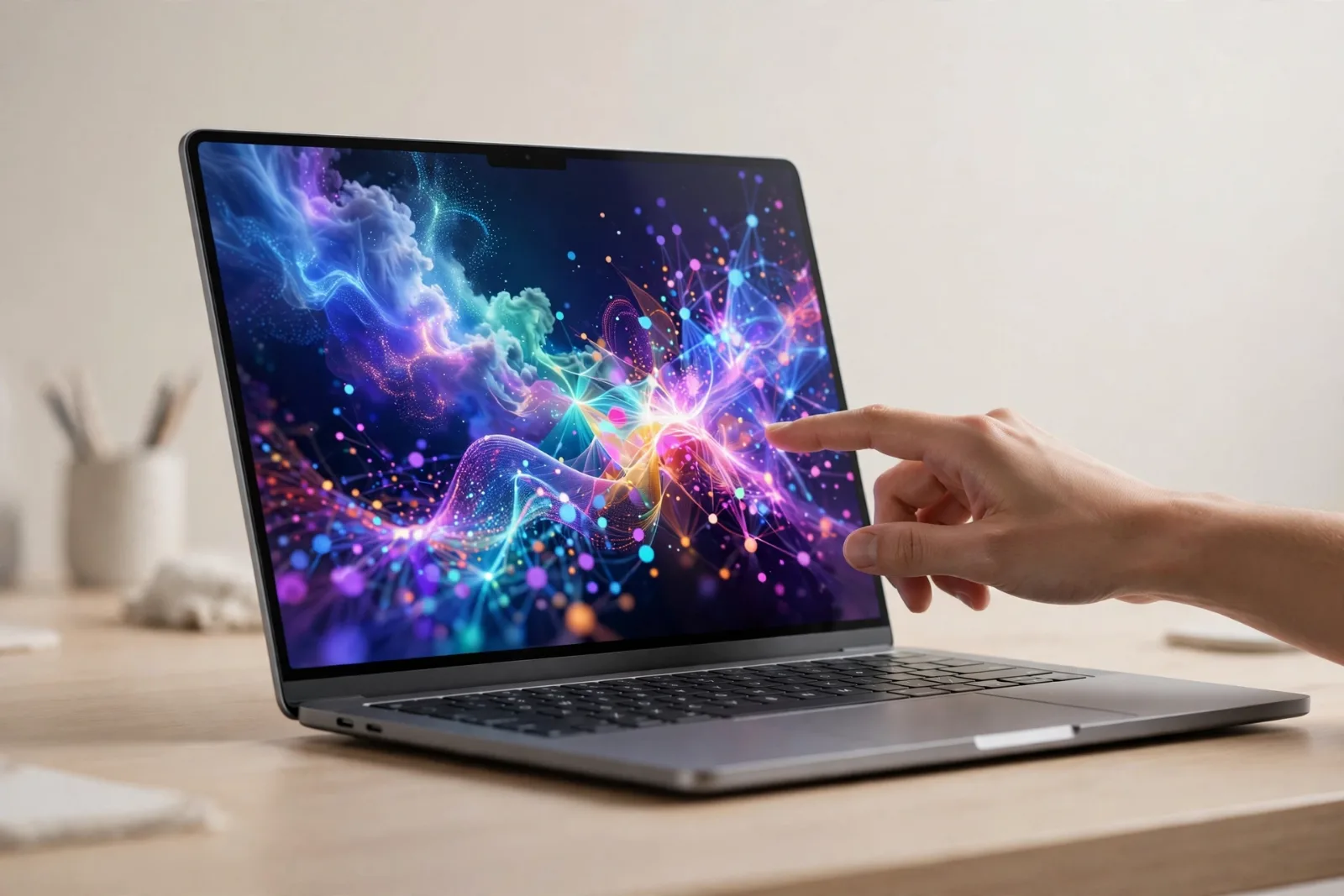
- First touch Mac: a multi-touch sensor built into the display panel itself
- Display: PROLED XDR, a tandem OLED panel
- Chips: M5 Pro or M5 Max, with up to 128GB of unified memory and up to 16TB of storage
- Prices (US): 14-inch M5 Pro from $2,899; 16-inch M5 Pro from $3,399; 14-inch M5 Max from $4,499; 16-inch M5 Max from $4,799
- Availability: arriving 6 November 2026, with pre-orders opened on 28 October
If you read yesterday's article, you already know the other half of the story: the M6 MacBook Pro starts at $1,999 and the M6 iMac at $1,499, also arriving 6 November. Keep those numbers in mind — the whole buying decision hangs on them.
What PROLED actually means
PROLED is Apple's name for a tandem OLED display. OLED is the screen technology already explained in our guide to how OLED displays work: each pixel makes its own light, so blacks can be truly black because pixels switch off individually. "Tandem" means two OLED layers stacked together, which lets the panel get much brighter without wearing out as quickly as a single layer would.
The numbers Apple quotes for this panel are striking:
- Up to 2,000 nits of peak brightness, for both HDR and SDR content
- 10,000,000:1 contrast ratio — the gap between the brightest white and the darkest black
- 10Hz to 120Hz ProMotion variable refresh rate, so the screen redraws smoothly when you scroll and slows down when nothing is moving, saving battery
- P3 and Adobe RGB colour coverage, the two colour ranges photographers and video editors care about most
In everyday terms: this is a brighter, punchier, more colour-accurate screen than the mini-LED display on previous MacBook Pros, and it is the single biggest reason the touchscreen models cost more. If you edit photos or video, or you simply stare at a laptop screen all day, this is the upgrade you will actually notice.
How touch works on a Mac — and why Apple resisted it for so long
Apple spent years arguing that touchscreens belong on iPads, not on laptops held upright on a desk. Reaching up to poke a vertical screen — nicknamed "gorilla arm" by critics — is tiring, and fingerprints on a laptop screen annoyed precisely the professionals Apple sells MacBook Pros to. So why now?
Apple's answer is in the engineering details. The touch sensor is built into the display panel itself, rather than layered on top, which Apple says cuts latency — the tiny delay between your finger moving and the screen responding. A redesigned hinge stabilises the screen when you touch it, so the display does not wobble, and video stabilisation smooths the camera feed when you use touch during a video call.
Just as important is the software approach. macOS translates touches into clicks, so many existing apps work with touch from launch without developers rewriting them. You can scroll a page with a swipe, pinch to zoom a photo, drag slides between presentations, or double-tap a window to fill the screen. Apple lists apps with dedicated touch support including Notion, Canva, Zoom, Microsoft Word, Excel and PowerPoint, Adobe Lightroom, DaVinci Resolve and Blender.
The honest framing is this: touch on this Mac is a bonus input, not a replacement for the keyboard and trackpad. Nobody is expected to type or do precision editing by poking the screen all day. Touch shines for quick, direct actions — scrubbing a video timeline, sketching, rearranging a presentation, zooming into a photo — and then you go back to the keyboard. Buyers who expect an iPad-style experience will be disappointed; buyers who want one more way to interact with a pro laptop will get it.
The notch is gone. The Dynamic Island has arrived on Mac
The familiar black notch at the top of the MacBook screen is replaced by a Dynamic Island — the pill-shaped cutout first seen on iPhones. On the Mac it houses Spotlight search, Live Activities and Siri AI, and it expands to show ongoing activity rather than sitting there as dead space.
It is a small change with a symbolic meaning: the Mac is borrowing more iPhone and iPad ideas than ever before. Combined with touch, it signals that Apple no longer treats the Mac as a sealed-off world that must never learn from its other devices.
Design, battery and ports
The redesigned machines are lighter than their predecessors: the 14-inch model weighs 3.0 pounds (about 1.38 kg) and the 16-inch model 4.0 pounds (about 1.82 kg). Apple claims up to 24 hours of battery life, and a six-speaker sound system with deeper bass than before.
Connectivity is generous, as MacBook Pro buyers expect: three Thunderbolt 5 ports, an HDMI port, an SDXC card slot, MagSafe charging, a headphone jack, Wi-Fi 7 and Bluetooth 6. M5 Pro models can drive up to three external displays; M5 Max models up to four. For video editors and developers with multi-monitor desks, that display support is a genuine working feature, not a footnote.
Touchscreen MacBook Pro vs M6 MacBook Pro: the $900 question
Here is the comparison that actually decides the purchase. Both machines arrive 6 November. Both are MacBook Pros. The difference is what your money buys.
| Touchscreen MacBook Pro (PROLED) | M6 MacBook Pro | |
|---|---|---|
| Starting price (US) | $2,899 (14-inch) | $1,999 (14-inch) |
| Chips | M5 Pro / M5 Max | M6 |
| Display | Tandem OLED touch, up to 2,000 nits | Standard MacBook Pro display (no touch) |
| Top cutout | Dynamic Island | Notch (as before) |
| Weight (14-inch) | 3.0 pounds | Heavier, previous design |
| Availability | 6 November 2026 | 6 November 2026 |
The key insight: the extra $900 does not buy you a faster chip generation. It buys you the OLED touchscreen, the Dynamic Island, and the lighter redesign. The M6 machine is the newer silicon; the touchscreen machine is the better screen and the new input method. Neither is "the best" in every dimension, which is exactly why Apple now sells both side by side.
So who should buy which?
- Buy the $1,999 M6 MacBook Pro if you want the newest chip, the best value, and you are happy with a keyboard-and-trackpad workflow. For most buyers, this remains the sensible default.
- Buy the $2,899 touchscreen model if you work with photos, video, design or presentations all day, you value the OLED screen, and you can picture yourself reaching for the screen for quick edits, scrubbing and rearranging. Creative professionals are the clear target.
- Wait if you own a recent MacBook Pro that still does its job. Neither machine makes last year's laptop obsolete, and prices rarely get worse with patience.
One more thing to keep straight: the OLED iPad mini that appeared in some coverage of this week was not announced at the 28 October event. Apple announced it on 26 October, with an 8.5-inch OLED display and A20 Pro chip, from $699 for Wi-Fi and $849 for cellular, also arriving 6 November. It is a separate product, and dating it to the 28th would be wrong.
Why this launch matters beyond Apple
Touchscreen laptops have existed on Windows for years, and they account for only a minority of laptop sales. Apple's entry matters because Apple sells enough MacBook Pros to change what software developers bother supporting. If touch controls become normal in pro apps on the Mac, the same apps on Windows may follow, and the old argument — that laptops should never have touchscreens — is effectively over.
It also marks a philosophical shift. Apple once drew a hard line: iPad for touch, Mac for keyboard and mouse. That line is now deliberately blurred. The question for the next few years is not whether touch belongs on a laptop, but how much of your work you actually want to do by reaching for the screen.
Takeaway checklist
- Apple's first touchscreen Mac is the MacBook Pro with PROLED XDR Display, confirmed 28 October 2026 — not a rumour, and not a keynote.
- It uses M5 Pro / M5 Max chips, not M6. The M6 MacBook Pro is a separate, cheaper machine.
- PROLED means tandem OLED: up to 2,000 nits, 10,000,000:1 contrast, 10–120Hz, P3 and Adobe RGB.
- Touch is built into the panel, with a stabilising hinge and a Dynamic Island replacing the notch.
- Prices start at $2,899 (14-inch) and $3,399 (16-inch); M5 Max versions start at $4,499 and $4,799. All arrive 6 November 2026.
- The $900 jump over the M6 model buys screen, touch and design — not a newer chip. Choose on that basis.
- Still unsure? Read yesterday's explainer on the M6 MacBook Pro and iMac and compare the two before you spend anything.