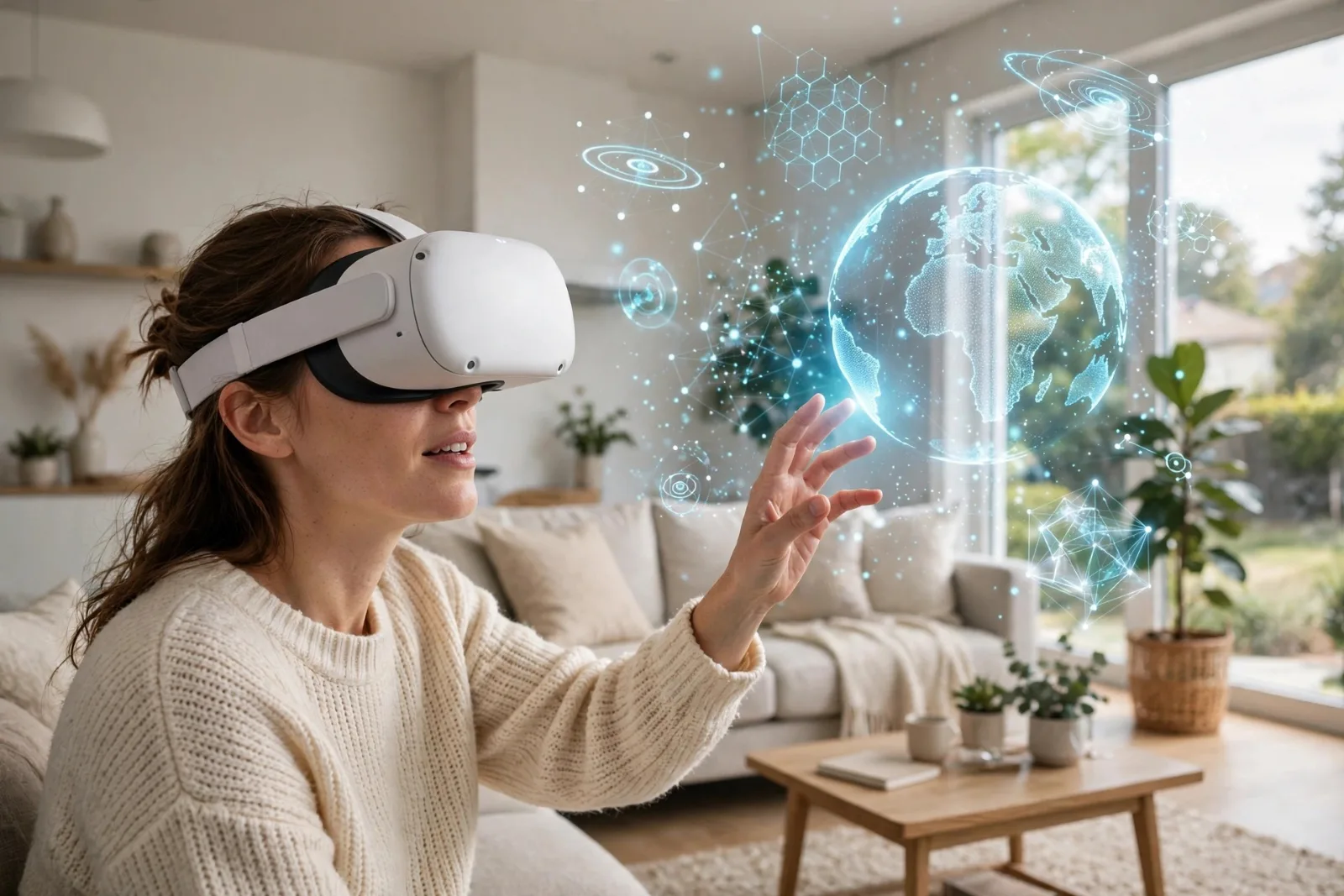
Put on a modern VR headset and your brain is fooled within seconds. You duck when a virtual ball flies at your face. You feel vertigo on a virtual cliff edge. Yet all that is really happening is two small screens sitting centimetres from your eyes, plus a handful of sensors doing frantic maths. A VR headset is not magic — it is a carefully engineered illusion, and every part of it exists to solve one problem: convincing your brain that a flat image is a real place.
Two screens, one for each eye
The core trick is stereoscopic vision. Your two eyes sit about 63 millimetres apart, so each one sees the world from a slightly different angle. Your brain fuses those two views into a single 3D image — and measures depth from the difference between them.
In the Meta Quest 3, each eye gets its own display at 2,064 × 2,208 pixels — sharper than a typical laptop screen, packed into a panel a few centimetres wide. The headset's processor renders a slightly different image for each eye, and your brain does the rest — it cannot tell the difference between two real viewpoints and two rendered ones.
That is also why the screens must sit so close to your eyes, and why the lenses matter so much.
The lenses: bending light to fit a room in your pocket
A screen 5 centimetres from your eye would be an unreadable blur without help. The lenses in a headset bend the light so the image appears to be metres away, at a comfortable focus distance.
Older headsets used Fresnel lenses: thin, ridged plastic lenses that were cheap and light but blurry at the edges, with a small "sweet spot" where the image was sharp. Modern headsets such as the Quest 3 use pancake lenses, which fold the light path back and forth using polarisation. They are thinner — Meta says about 40% slimmer than the Quest 2's stack — and sharper across a much wider field of view.
Between the lenses sits an IPD adjustment — the distance between your pupils. The Quest 3 lets you slide the lenses from about 53 to 75 millimetres apart. Get it wrong and the image blurs; get it right and the virtual world snaps into focus.
Tracking: knowing where your head is, 100 times a second
A VR world only feels real if it moves exactly when you do. Turn your head left and the world must turn with you, instantly. That requires six degrees of freedom (6DoF) tracking: the headset must know its position in space (forward/back, left/right, up/down) and its rotation (pitch, yaw, roll) — all updated about 100 times a second.
Modern headsets do this with inside-out tracking — no external cameras or base stations needed. The Quest 3 has four infrared cameras on its front and sides, watching the room for fixed reference points. Combined with software called SLAM (simultaneous localisation and mapping): the headset builds a map of your room while tracking itself within it. A depth sensor adds a third dimension, measuring how far away walls and furniture are.
Backing that up are the same sensors as in your phone: an accelerometer (which way is down), a gyroscope (how fast you are turning) and a magnetometer (which way is north). The cameras correct the sensors' drift; the sensors fill the gaps between camera frames.
Your hands are tracked the same way. The Quest 3's Touch Plus controllers carry infrared LEDs that the cameras can see, and the controllers contain their own accelerometers and gyroscopes. The headset triangulates their position from both, so your virtual hands move exactly where your real ones are.
Why the picture has to be fast
Here is the number that decides whether VR feels wonderful or makes you queasy: motion-to-photon latency — the time between you moving your head and the screen showing the updated image. Above roughly 20 milliseconds, your brain notices the lag, and the illusion breaks. Below it, VR feels real.
That is why headsets run at high refresh rates. The Quest 3 renders at 90 Hz by default, with 120 Hz available — a new frame every 8–11 milliseconds. The processor (Qualcomm's Snapdragon XR2 Gen 2, with roughly twice the graphics power of the Quest 2's chip) must render two high-resolution images, at that speed, while tracking your head — a workload closer to a gaming PC than a phone.
This is also why the displays are usually LCD panels rather than the OLED screens in phones: LCD is faster, cheaper at this size and less prone to burn-in. To learn more, see how OLED displays work — and for the chips doing the rendering, how GPUs actually work.
Mixed reality: letting the real world in
The newest headsets are not just VR — they are mixed reality. The Quest 3 has two 4-megapixel colour cameras on its front, plus a depth sensor that measures how far away the objects in your room are. Together they show you a live, full-colour view of your real room, with virtual objects placed on top of it. The depth sensor lets the headset do occlusion: a virtual character can hide behind your real sofa, because the headset knows the sofa is in front of it.
This is the direction the whole industry is heading. Apple's Vision Pro, the Quest 3 and their rivals are all converging on the same idea: a headset that can replace your screens when you want immersion, and disappear when you want the real world.
For more on this, see our explainer on smart glasses.
Why VR makes some people sick
If VR still makes you queasy, you are not alone — and it is not your fault. The sickness comes from a sensory mismatch: your eyes say you are flying through space while your inner ear says you are sitting still. Your brain interprets that conflict the same way it interprets poisoning, and reacts accordingly.
Headset makers fight this on several fronts: higher refresh rates, lower latency, sharper lenses, and software tricks like teleport movement (jumping between spots instead of gliding) and vignetting (narrowing your field of view while you move). Most people adapt after a few short sessions — the advice is to start with 10–15 minutes at a time and stop the moment you feel off.
For the bigger picture, see our guide to wearable technology.
How the headsets compare
| Meta Quest 2 | Meta Quest 3 | |
|---|---|---|
| Resolution per eye | 1,832 × 1,920 | 2,064 × 2,208 (~30% more pixels) |
| Lenses | Fresnel | Pancake (40% slimmer) |
| Processor | Snapdragon XR2 | Snapdragon XR2 Gen 2 (~2× graphics power) |
| Refresh rate | Up to 120 Hz | 72 / 90 / 120 Hz |
| Field of view | ~90° horizontal | ~110° horizontal |
| Tracking | Inside-out 6DoF | Inside-out 6DoF + depth sensor |
| Passthrough | Black and white | Full colour, 4 MP cameras |
| Weight | ~503 g | ~515 g |
The Quest 3 is the mainstream benchmark today: a standalone headset that needs no PC, no cables and no external sensors. For most people, it is the one to beat.
For more on this, see our explainer on Walkman.
Takeaway checklist
- Two screens, two viewpoints — VR fakes depth by showing each eye its own image, the way your eyes see the real world.
- Pancake lenses bend the light so a screen centimetres from your eye looks metres away, sharp edge to edge.
- Inside-out tracking uses cameras plus accelerometers and gyroscopes to follow your head in six degrees of freedom — no external hardware needed.
- Speed is everything — 90–120 Hz refresh and under ~20 ms motion-to-photon latency keep your eyes and inner ear in agreement.
- Mixed reality uses colour cameras and a depth sensor to blend virtual objects into your real room.
- Feeling sick is a sensory mismatch — start with short sessions and stop as soon as you feel off.
- Try before you buy — fit matters: adjust the IPD, check the weight on your face, and make sure your glasses fit if you wear them.