You upgraded to a 5G phone, you are on a 5G plan, and the icon at the top of your screen proudly says 5G. So why does a video buffer, a page crawl, and your old 4G phone load faster?
You are not imagining it. 5G is not one speed: it runs on different radio frequencies, on networks still being built. In the wrong combination — wrong frequency, crowded tower, weak signal — it can be slower than strong, stable 4G.
The 5G icon is not a speed guarantee
The 5G icon tells you what kind of network you are connected to, not how fast it is right now. It says nothing about which 5G frequency you are on, how crowded the tower is, or how strong the signal really is.
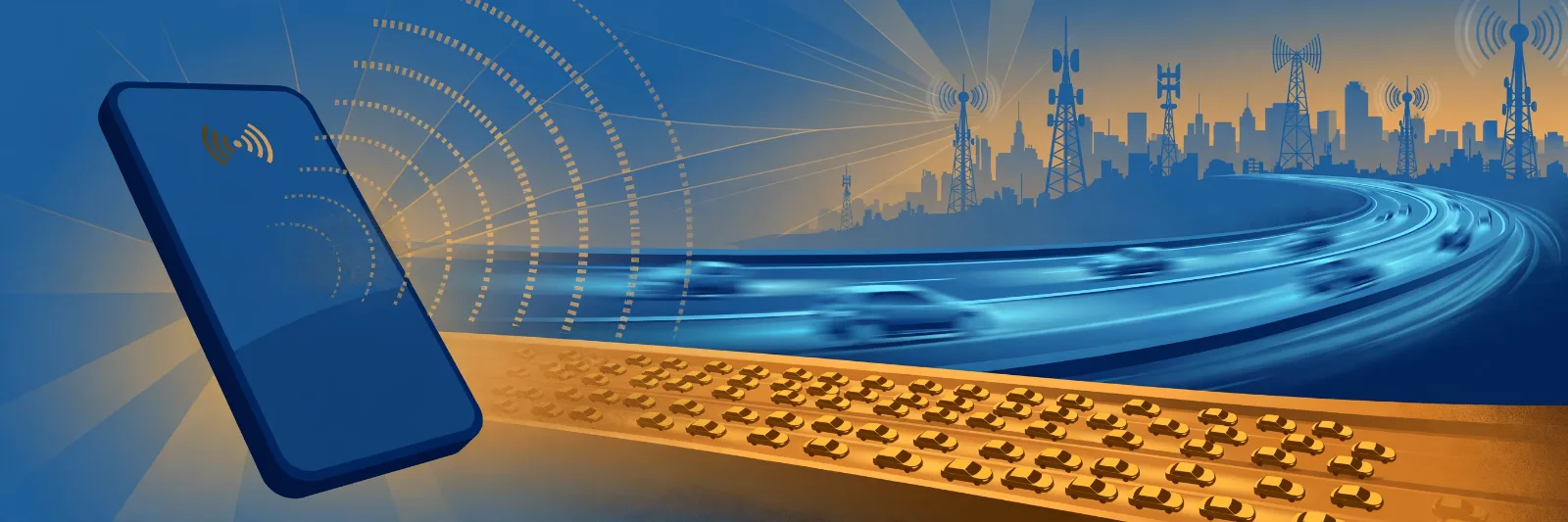
Think of it like a road sign: "motorway" does not guarantee fast driving — if it is jammed, a quiet side road is quicker. Likewise, strong 4G LTE can beat weak or crowded 5G. Newer does not always mean faster where you are standing.
Not all 5G is the same: low-band, mid-band and mmWave
The biggest reason for slow 5G is that "5G" covers three very different kinds of signal:
- Low-band 5G (below 1 GHz) travels far and passes through walls well, hence its use for nationwide coverage. The trade-off is speed: often only about as fast as good 4G.
- Mid-band 5G (roughly 1 to 6 GHz) is the sweet spot — decent range plus a clear speed jump over 4G.
- High-band 5G, or mmWave (above 24 GHz), is extremely fast but short-range, easily blocked by walls, and mostly found in city centres, stadiums and airports.
Usually a phone showing 5G is on low-band or mid-band, not mmWave.
| 5G type | Frequency | Typical speed | Coverage | Building penetration |
|---|---|---|---|---|
| Low-band | Below 1 GHz | Around 50–100 Mbps, similar to good 4G | Widest, nationwide | Excellent |
| Mid-band | 1–6 GHz | Roughly 200–900 Mbps in good conditions | Good, cities and suburbs | Fair to good |
| High-band (mmWave) | Above 24 GHz | 1 Gbps and above in ideal spots | Very limited, hotspots only | Poor |
Typical ranges, not promises. See also: How 5G Is Changing Mobile Connectivity.
Two hidden reasons: shared airwaves and hybrid networks
Dynamic Spectrum Sharing (DSS) is a trick used in some early 5G rollouts. It lets a carrier run 4G and 5G on the same slice of radio spectrum at the same time, splitting it between the two depending on demand. That put a 5G icon on millions of phones quickly. But sharing has a cost: neither technology gets the full slice, and extra signalling eats into capacity. Research modelling found losses of up to around 25% at some sharing ratios, and early US tests of DSS low-band 5G found speeds much like 4G. DSS still matters where dedicated 5G spectrum has not yet arrived.
Then there is Non-Standalone (NSA) versus Standalone (SA) 5G. NSA, deployed first by most carriers, uses a 5G radio for data but a 4G LTE core to manage the connection — fast to roll out, but with higher delay and brief lags when handing over between 4G and 5G, especially while moving. SA is 5G end to end, with lower delay, but it needed a new core network, so it arrived later and is still not everywhere. Neither guarantees a given speed, but NSA explains why early 5G often felt like "4G with a new label".
Your phone clings to a weak 5G signal
Many phones default to preferring 5G — 5G Auto on iPhone, or a 5G preferred mode on Android — so yours may hold a faint, distant 5G signal instead of a nearby, strong 4G signal that would be faster. A weak signal forces more retransmissions, slowing everything and draining battery. Switching a weak-5G phone to LTE only often speeds loading straight away. Where mid-band 5G is strong, forcing LTE would be a step backwards — so test both.
Congestion, distance and walls
Even on the right kind of 5G, three factors slow you down: congestion (thousands sharing one tower at peak times), distance from the tower, and walls and obstacles (concrete, steel and energy-efficient windows weaken signals, and higher-frequency 5G is more sensitive than low-band 4G). An older phone may also lack your carrier's mid-band frequencies.
How to fix slow 5G: test it properly
Do not guess — run a simple comparison:
- Speed-test on 5G where you normally use your phone, using a well-known speed-test app, and note download speed, upload speed and delay (ping). Repeat it twice.
- Switch to LTE only and test again in the same spot. On iPhone: Settings > Cellular (or Mobile Service) > Cellular Data Options > Voice & Data > LTE. On Android: Settings > Network & Internet (or Connections) > Mobile Networks > Preferred network type > LTE/4G.
- Keep whichever is faster where you spend most of your time. If LTE wins at home but 5G wins at work, that is normal.
- Restart your phone, check for software updates, and check your carrier's coverage map — look specifically for mid-band coverage, not just "5G". If your area only has low-band 5G, modest speeds are expected.
- Move near a window or outside, and test at a quiet time. If speeds are fine late at night but poor at 7pm, you are looking at congestion, not a broken phone.
Use the same app where possible, avoid VPNs while testing, and judge by a pattern across several tests, not one result.
Contact your carrier only if speeds are consistently far below your plan's promise in multiple locations, your phone never connects to 5G where the map says it should, or another phone on the same carrier performs very differently in the same spot. Note your test results first, and check your plan actually includes 5G — some older or cheaper plans do not.
Takeaway checklist
- The 5G icon is not a speed rating — it says nothing about frequency, tower load or signal strength.
- Check which 5G you are getting: low-band feels like 4G, mid-band is the real speed jump, mmWave is rare and short-range.
- Shared spectrum (DSS) and early hybrid (NSA) networks can make 5G perform like 4G — or slightly worse.
- A weak 5G signal can lose to a strong 4G signal, because your phone prefers the 5G label.
- Congestion, distance and walls slow every network, and 5G is no exception.
- Test, don't guess: speed-test on 5G and on LTE in the same spot, and keep whichever is actually faster.
- Restart, update and check the coverage map before assuming your phone is faulty.
- Contact your carrier only when the problem is consistent, widespread and backed by test results.
5G is genuinely faster than 4G — on the right frequency, with a decent signal and an unloaded tower. When any piece is missing, 4G can win. Mobile speed was never about the generation number alone: it is about spectrum, signal and sharing — and the best network is simply the fastest where you are standing.