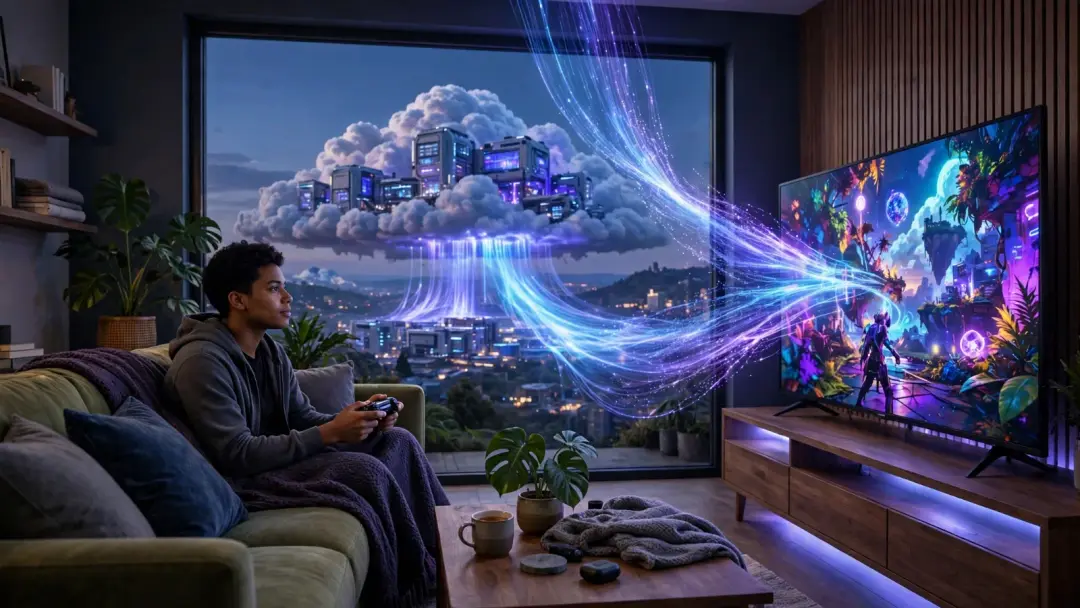
Imagine playing the newest, most demanding video game on a five-year-old laptop, a phone, or even a television with no console attached. No downloads, no updates, no expensive graphics card. That is the promise of cloud gaming — and in 2026 it is no longer a demo or a dream. It is a real service used by millions of players, and it is behind some of this month's biggest gaming searches. Here is how it works, what it costs you in internet speed, and where it still falls short.
How cloud gaming actually works
Cloud gaming flips the normal idea of gaming upside down. Normally, your console or PC does all the hard work: it runs the game, draws every frame, and shows it on your screen. In cloud gaming, a powerful computer in a data centre does all of that instead. Your device only has two jobs: send your button presses up to the server, and show the video that comes back.
The loop runs many times every second:
- You press a button or move a mouse.
- That input travels over the internet to the data centre.
- The server applies your input to the running game.
- The server's graphics card draws the next frame.
- The frame is compressed into video and streamed back to you.
- Your device decodes the video and displays it.
The whole round trip needs to happen in roughly 40 to 50 milliseconds to feel natural. That is why cloud gaming is really a networking problem dressed up as a gaming product — the graphics are easy for the data centre, but the speed of light and your internet connection set the limits.
It is the same idea as streaming a film, with one big difference: a film can buffer 30 seconds ahead, but a game cannot. Every frame depends on what you just did, so there is no way to get ahead of you.
The main services in 2026
There are two kinds of cloud gaming service. Some let you play games you already own; others are subscription libraries.
| Service | How it works | What you need |
|---|---|---|
| NVIDIA GeForce NOW | Streams games you already own on Steam, Epic Games, GOG or Ubisoft Connect, running on NVIDIA RTX hardware in the cloud | A free tier exists; paid tiers unlock better hardware and longer sessions |
| Xbox Cloud Gaming | Streams a catalogue of games included with Game Pass, no downloads needed | Game Pass Ultimate subscription |
| PlayStation Plus Premium | Streams a library of PS5 and classic PlayStation games to console or PC | PlayStation Plus Premium subscription |
| Amazon Luna | Subscription channels of games streamed from Amazon's cloud | Luna subscription |
| Boosteroid | Streams games you own from your own store libraries | Subscription, works on almost any device |
One caution from history: Google Stadia, the best-known early attempt, shut down in January 2023. A cloud library is rented, not owned — if a service closes or a game leaves the catalogue, your access goes with it. That is the trade-off for never buying hardware.
Cloud gaming vs playing locally
| Cloud gaming | Local gaming | |
|---|---|---|
| Hardware needed | Almost any screen with a browser or app | A console or a gaming PC |
| Upfront cost | Low — a subscription, often under the price of one game | High — a console or graphics card |
| Waiting time | Seconds — click and play | Minutes to hours of downloads and updates |
| Graphics quality | Up to 4K, but compressed video | Native, uncompressed image |
| Input delay | 40–80 ms added by the round trip | Almost none |
| Works offline | No — no internet, no game | Yes, for most single-player games |
| Game ownership | Rented or streamed from your library | You own the copy (or the licence) |
What internet speed do you actually need?
This is the question that decides whether cloud gaming works for you — and the answer is more about stability than raw speed. A steady 25 Mbps connection beats an unstable 200 Mbps connection, because dropped packets and jitter cause stuttering and sudden drops in picture quality.
NVIDIA publishes clear numbers for GeForce NOW: about 15 Mbps for 720p at 60 frames per second, 25 Mbps for 1080p at 60 fps, 35 Mbps for 1440p at 120 fps, and 45 Mbps for 4K at 120 fps. Microsoft's guidance for Xbox Cloud Gaming is simpler: a minimum of 10 Mbps download, with 20 Mbps recommended for the best quality. Upload barely matters — 5 Mbps is plenty, because all you are sending is button presses.
Latency matters just as much. NVIDIA requires less than 80 milliseconds of network latency to its data centres, and most players find that anything above 40 ms starts to feel sluggish in fast games. A wired Ethernet cable or a 5 GHz Wi-Fi connection near the router gives the steadiest result.
There is also a hidden cost: data. A 1080p stream uses roughly 11 GB per hour, and a 4K stream around 20 GB per hour. On a capped broadband plan, a few evenings of cloud gaming can eat a serious share of your monthly allowance.
When cloud gaming shines — and when it does not
Cloud gaming is at its best for casual and story-driven games, for trying a game before buying it, and for playing on a device that could never run the game itself — a Chromebook running a blockbuster, or a phone on a train. It is also having a moment right now: Grand Theft Auto VI arrives on Xbox Cloud Gaming on 19 November 2026, letting players stream one of the most anticipated games ever without a console.
It is at its worst for competitive multiplayer. In a fast shooter, the extra 40 to 80 milliseconds between your input and the screen is the difference between winning and losing a duel. Professional and serious competitive players will keep playing locally for a long time.
The middle ground — single-player adventures, strategy games, role-playing games — is where most people will find cloud gaming genuinely good. The delay is barely noticeable when you are exploring a world rather than reacting in split seconds.
The future: the console in the cloud
The direction is clear. As internet speeds rise and data centres get closer to players, the delay shrinks and the picture improves. NVIDIA already advertises RTX 5080-class performance streamed to a Mac, TV, phone or handheld — hardware most players will never buy, delivered as a stream.
The question is no longer whether cloud gaming works. It is whether players accept renting access instead of owning games, and whether internet providers keep up. For many people, the answer is already yes — and the console of the future may be nothing more than a screen and a connection.
Takeaway checklist
- Cloud gaming runs the game on a remote server and streams video to your screen; your device only sends inputs and decodes the picture.
- You need 15–25 Mbps for smooth 1080p play (GeForce NOW: 15 Mbps for 720p, 25 Mbps for 1080p, 45 Mbps for 4K; Xbox: 10 Mbps minimum, 20 Mbps recommended).
- Latency matters more than speed — aim for under 40 ms, use Ethernet or 5 GHz Wi-Fi, and keep the connection stable.
- Watch your data cap — about 11 GB per hour at 1080p, around 20 GB per hour at 4K.
- Best for casual and story games; competitive multiplayer still belongs on local hardware.
- You rent access, not games — Stadia's shutdown in 2023 is the reminder that libraries can disappear.
- Try before you buy hardware — a free GeForce NOW tier or a Game Pass trial is the cheapest way to test it on your own connection.