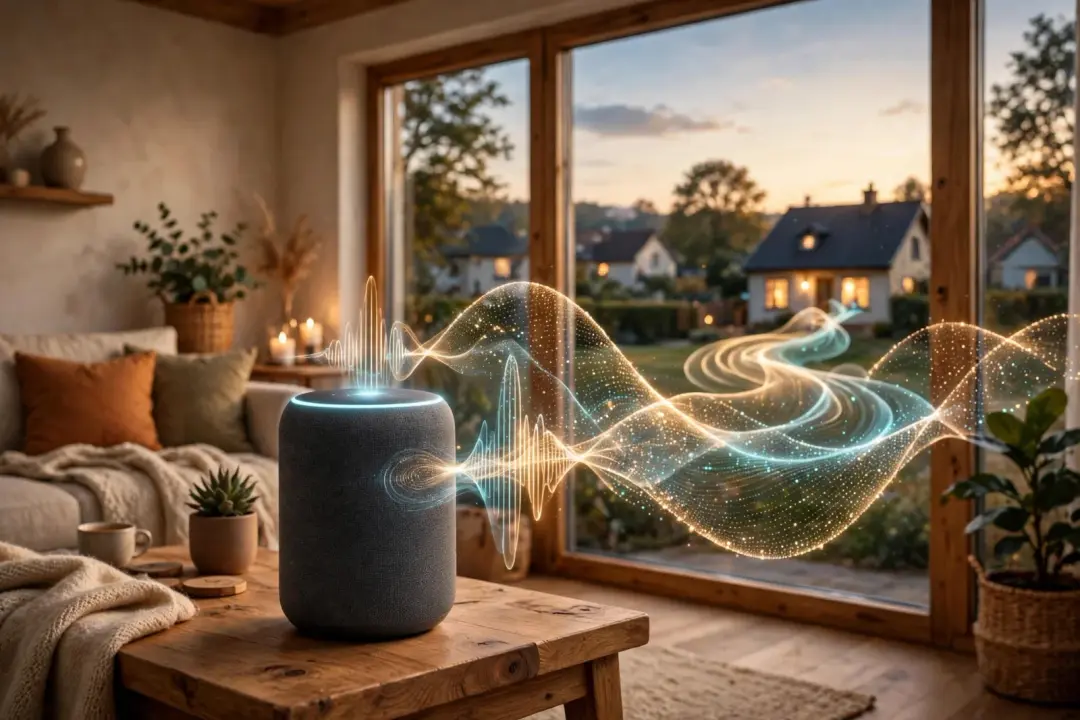
Say "Hey Google, what's the weather?" and an answer comes back in about a second. It feels like magic, but it is really a relay race: your voice runs from the speaker in your kitchen to a giant data centre and back again. How do smart speakers work? The short answer is that the speaker itself does very little thinking. It is mostly ears and a mouth — the real work happens far away, in the cloud.
Here is the full journey, step by step.
What is inside a smart speaker?
Take the cover off a smart speaker and you will find four main parts. None of them is very powerful on its own. The clever part is how they work together.
- Microphones. Most smart speakers have several microphones arranged in a ring. They are built to pick up your voice from across the room, even with music playing or the TV on. Some use a trick called beamforming, which means they can tell which direction your voice is coming from and focus on it while ignoring other noise.
- A speaker. This is the part that plays music, reads out answers and makes the beeps and chimes. Cheaper models like the Echo Dot or Home Mini have a single small driver; bigger ones like the Echo Studio add separate tweeters and woofers for better sound.
- A small processor. This is the speaker's own little brain. It is not powerful enough to understand full sentences. Its main job is to listen for the wake word and handle simple jobs like muting the microphones.
- A Wi-Fi chip. This connects the speaker to your home internet. Almost everything a smart speaker does depends on this connection, because the heavy work happens in the cloud, not in the speaker.
The first commercial smart speaker was the Amazon Echo, released in 2014 and powered by Alexa with a ring of far-field microphones. Google followed in 2016 with Google Home, and Apple joined in 2018 with the HomePod, which focused on high-quality audio alongside Siri.
Step by step: what happens when you talk to a smart speaker
Here is the full journey, from the moment you speak to the moment you hear an answer.
1. The speaker listens for the wake word — and only the wake word
Your smart speaker is always listening, but not in the way most people imagine. A small, low-power part of the device listens locally, inside the speaker itself, for one sound pattern: "Alexa", "Hey Google" or "Hey Siri". It is not recording your conversations or sending audio anywhere. It is just matching sounds against the wake word, over and over, and throwing everything else away.
2. Your request is recorded and sent to the cloud
Once the wake word is detected, the speaker starts recording what you say next and sends that short audio clip over Wi-Fi to the company's servers. The speaker is too small and simple to do the hard thinking itself, so the cloud does it instead. When you stop talking, the recording stops too.
3. Your speech is turned into text
In the cloud, a system called speech recognition breaks your voice down into tiny sound units and matches them against words it knows. Modern systems are trained on millions of hours of speech, which is why they cope with accents, background noise and mumbled words far better than the voice software of ten years ago.
4. The assistant figures out what you actually mean
Turning speech into text is only half the job. Next, the assistant works out your intent: are you asking a question, giving a command, or asking it to control something in your home? This is called natural language processing (NLP). "Turn the lights off" and "it's dark in here" might mean the same thing, and the assistant has to work that out from context.
5. The cloud sends back an answer — or an instruction
If you asked a question, the answer is turned back into speech and streamed to your speaker. If you gave a command, the cloud sends an instruction instead — to a smart light, a thermostat, or a music service. The whole round trip usually takes about a second.
Is it always listening?
This is the question everyone asks, and the honest answer has two parts.
The speaker is always listening for the wake word, locally, on the device. It is not streaming your conversations to the cloud — that only starts after the wake word. But the system is not perfect. Speakers sometimes mishear a similar-sounding word on television or in conversation and wake up by mistake, recording a few seconds they should not have.
That is why every smart speaker has a microphone mute button that physically cuts power to the microphones, and why Amazon, Google and Apple all let you review and delete your voice recordings in their apps. If the idea of a microphone in the room bothers you, the mute button is the one control that cannot be overridden by software.
How it controls your home
A smart speaker is also the remote control for a smart home. When you say "turn off the bedroom light", the instruction travels from the cloud to the light itself — over Wi-Fi, or through a hub protocol such as Zigbee, Thread or Matter. Newer speakers can act as hubs themselves, letting devices from different brands work together instead of each needing its own app.
This is also why a smart speaker stops being smart when the internet goes down. Without Wi-Fi, it cannot reach the cloud, and without the cloud it cannot understand you. A few newer models can handle basic on-device commands, such as timers, without the internet — but most of what makes them useful lives on someone else's computer.
Smart speaker vs voice assistant vs phone assistant
The three terms get mixed up, so here is the difference:
| Term | What it means | Examples |
|---|---|---|
| Smart speaker | The physical device in your room | Amazon Echo, Google Nest, Apple HomePod |
| Voice assistant | The software that understands you | Alexa, Google Assistant, Siri |
| Phone assistant | The same assistant, running on your phone | Siri on iPhone, Gemini on Android |
One assistant can live in many devices. Ask Alexa on an Echo and on your phone, and the same cloud system answers both.
Takeaway checklist
- How do smart speakers work? A local chip listens only for the wake word; everything after that happens in the cloud.
- The round trip takes about a second: wake word, record, send to cloud, speech-to-text, work out intent, send the answer back.
- The speaker is not the brain. Its processor only handles the wake word and the basics; the understanding happens on company servers.
- It is listening for one phrase, not recording everything — but false wake-ups happen, so use the mute button when you want silence.
- No internet, no smart speaker. Without Wi-Fi, most of what it does stops working.
- It is also a smart home hub: voice commands reach lights, thermostats and locks through Wi-Fi, Zigbee, Thread or Matter.