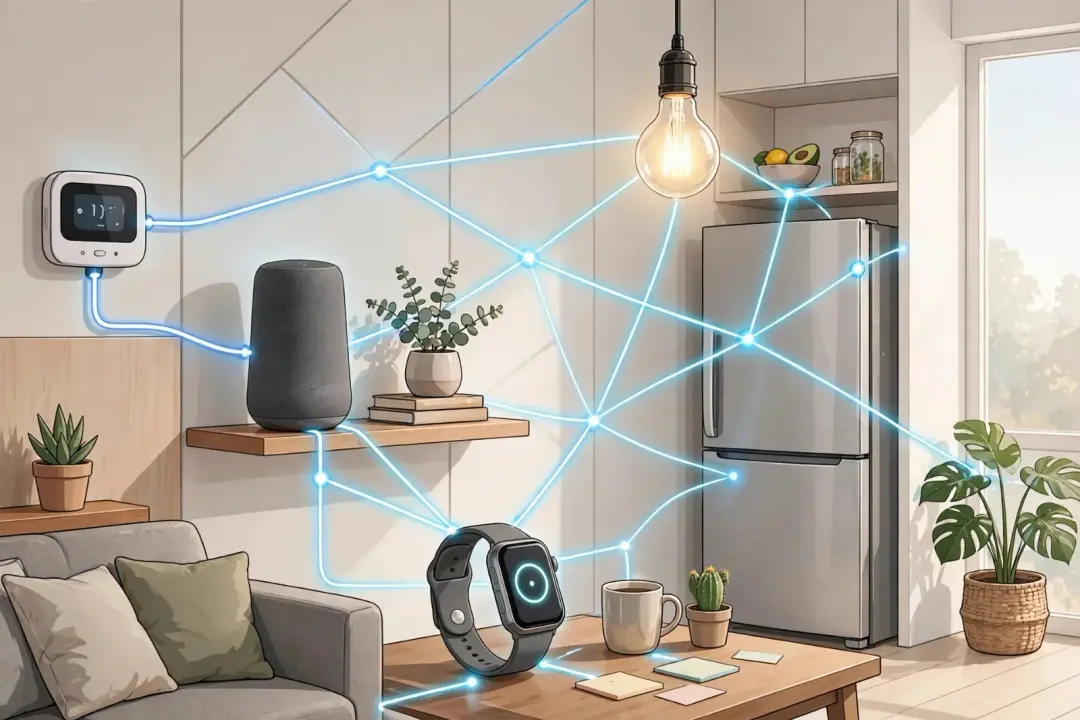
If you have asked a voice assistant to turn on a light, checked a doorbell camera from your phone, or had a watch count your steps, you have already used a connected device. So what is the internet of things, exactly? It is the name for a simple idea: ordinary objects fitted with sensors, a little computing power, and an internet connection can collect information, share it, and act on it — often without you lifting a finger.
Where the idea came from
The term "Internet of Things" was coined by computer scientist Kevin Ashton in 1999. Working on supply chains, he realised computers knew almost nothing about the physical world unless a person typed it in. If objects could report on themselves, computers could act on real information instead of guesses.
The idea is older than the name. In 1982, students at Carnegie Mellon University wired a Coca-Cola vending machine with micro-switches so it could report which slots were empty and whether the bottles inside were cold — a small experiment that captured the whole concept.
Since then: more than 21 billion connected IoT devices worldwide as of late 2025, according to IoT Analytics, projected to reach about 39–40 billion by 2030. McKinsey estimates the total value potential of the IoT ecosystem could reach $12.6 trillion by 2030.
How IoT works: the sense–share–act loop
Every IoT system, from a smart thermostat to a factory sensor, moves data through the same basic loop:
- Sense. A sensor measures something physical — temperature, motion, light, humidity, location, heart rate, or soil moisture.
- Process at the edge. A small chip in the device does a first pass, so it can react quickly without waiting for a distant server.
- Transport. The data travels over a network to a platform or cloud service.
- Decide. Software on that platform looks for patterns and applies rules — a thermostat notices the house is empty, for example.
- Act. The system sends an instruction back to an actuator — a component that does something physical, such as opening a valve or sounding an alarm.
Two words matter most:
- A sensor takes information in — the device's eyes and ears.
- An actuator puts action out — the device's hands.
A smart lock's sensor detects your phone; its actuator — the motor — turns the bolt.
Why does a fridge or a streetlight need the internet?
It is a fair question. A fridge kept food cold for decades without Wi-Fi, and a streetlight worked fine on a simple timer. Connection adds three things a standalone object cannot offer:
- Remote awareness. You can check something from anywhere — whether the front door is locked or a factory machine is overheating.
- Automatic adjustment. A device can respond to changing conditions — a streetlight can brighten as someone walks past and dim when the road is empty.
- Coordination. Connected objects can work together — a smoke alarm can tell the lights to flash and the doors to unlock.
None of this means every object should be connected — a connected toaster is rarely worth the extra cost. The test is simple: does the connection solve a real problem, such as saving energy, saving time, catching a fault early, or keeping someone safe?
IoT examples in everyday life
The main categories, with concrete IoT examples:
- Smart home. Thermostats that learn your routine, cameras you can check from work, voice assistants, and video doorbells.
- Wearables. Smartwatches and fitness trackers that count steps, measure heart rate, and track sleep.
- Health. Glucose monitors that alert patient and doctor when blood sugar moves out of range, and pacemakers that report their status remotely.
- Vehicles. Connected cars that report their location, warn about traffic, and update their software overnight; self-driving cars add cameras, radar, and sensors to read the road.
- Industry and farms. Soil-moisture probes that tell a farmer when to water, and factory valves and motors with sensors that flag wear before a breakdown — predictive maintenance.
See also: how do smart home devices talk to each other and how do smartwatches actually work.
How do IoT devices connect? A comparison
No single wireless technology fits every device: a camera streaming video needs far more bandwidth than a soil sensor sending a few numbers a day.
| Connection | Typical range | Power use | Best for |
|---|---|---|---|
| Wi-Fi | Tens of metres, indoors | High, usually mains-powered | Cameras, speakers, smart TVs |
| Bluetooth | A few metres | Low | Wearables, devices paired with your phone |
| Cellular (4G/5G) | Kilometres, with mobile coverage | Medium to high | Connected cars, trackers |
| LPWAN | Kilometres | Very low, batteries can last years | Soil sensors, smart meters, streetlights |
More range and more data usually cost more power: a smartwatch uses Bluetooth, a farm sensor uses LPWAN, and a hallway camera uses Wi-Fi.
What is a unique identifier, and why does it matter?
Every connected device needs a way to be told apart from the billions of others. A unique identifier is a number or code that belongs to one device and no other — a bit like a passport number for a gadget. It matters because a system must know which device is talking: a thermostat reading "19 degrees" only helps if it came from the bedroom, not the garage. And if an identifier can be copied or guessed, an attacker can pretend to be a trusted device.
The risks, honestly stated
The convenience is real, but so are the risks.
Privacy. IoT devices collect sensitive data by design: a fitness tracker knows your heart rate and where you run; a voice assistant hears what is said in your living room. Check what a device collects and who can see it before bringing it home.
Security. More connected devices means more entry points into your home network, and many IoT devices have weak default passwords and are rarely updated. The fixes are simple: change default passwords, keep software updated, and put IoT gadgets on a separate home network if your router allows it.
Dependence on connectivity. A connected device is only as reliable as its connection: if your internet goes down, a cloud-dependent camera or voice assistant may stop working even though the hardware is fine. Prefer devices that keep working locally.
Takeaway checklist
- Everyday objects with sensors, computing, and a connection can sense the world, share what they find, and act on it.
- Remember the loop: sense, process at the edge, transport, decide, act.
- Pick the right connection: Wi-Fi for data-heavy home devices, Bluetooth for wearables, cellular and LPWAN for long-range, low-power sensors.
- Check what a device collects before installing it; change default passwords and keep its software updated.
- Before buying, ask: does it save energy, save time, catch a fault early, or keep someone safe? If not, the smart version may not be worth it.
- Start small — a thermostat or a smart plug — and add devices only where they solve a real problem.