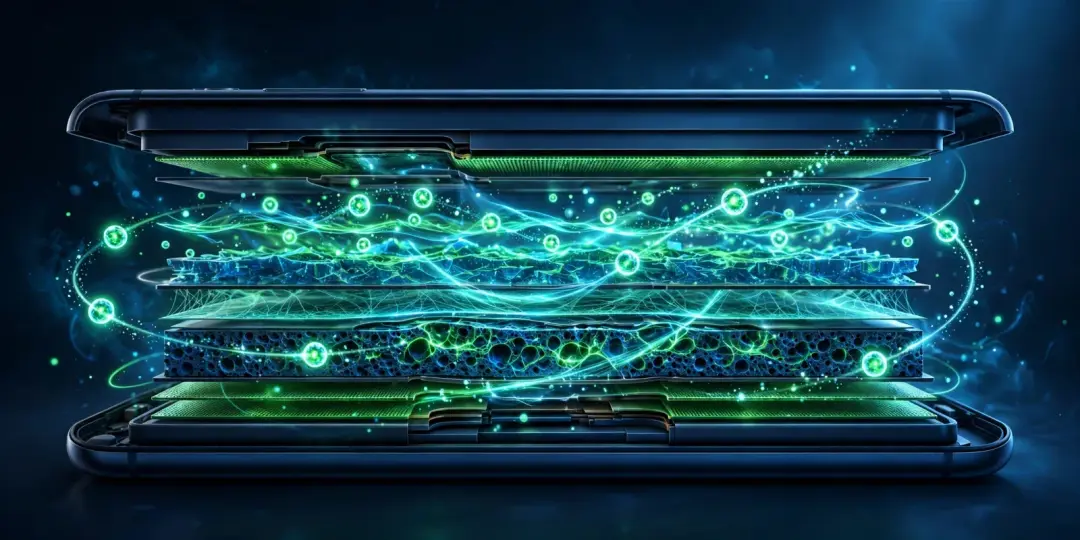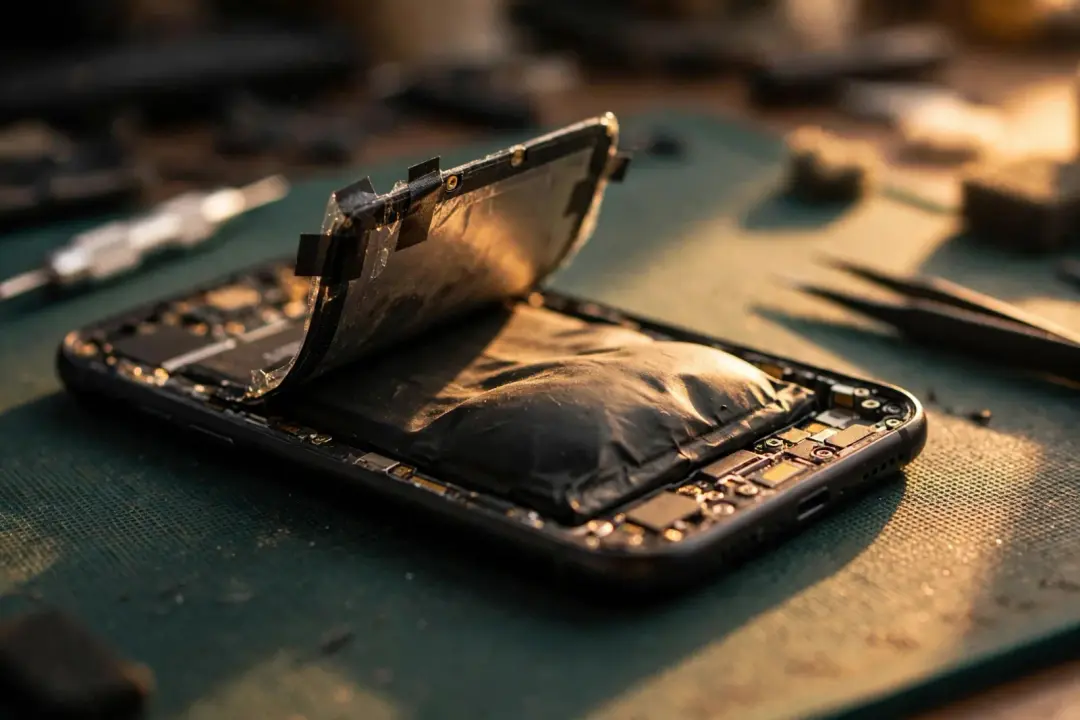
Why do phone batteries swell? Because gas is building up inside the battery's sealed pouch, and it has nowhere to go. Your phone's battery is a thin foil pouch filled with chemicals. When those chemicals break down — from age, heat, overcharging or damage — they release gas. The pouch stretches, the phone's back lifts or the screen separates, and the battery turns into what repair technicians call a "spicy pillow." It is not normal, even if it is fairly common. And it is a warning: a swollen battery is a failed battery, and it needs attention now.
What's inside your phone's battery
Almost every phone, laptop, smartwatch and tablet runs on a lithium-ion pouch cell. Inside the thin, flexible foil pouch are two electrodes (an anode and a cathode), a separator between them, and a liquid called the electrolyte. When you charge, lithium ions move from one electrode to the other through the electrolyte; when you use the phone, they move back. That is the whole job. (We explain lithium-ion batteries in full here.)
The pouch is sealed tight. That is fine while the chemistry behaves — but when it does not, the electrolyte and other materials break down and produce gas. The gases include hydrogen, carbon dioxide, carbon monoxide and hydrocarbons. Some of them are toxic; hydrogen is highly flammable. Because the pouch is sealed, the gas cannot escape, so pressure builds and the pouch balloons outward.
A swollen cell can push hard enough to crack a screen, pop a phone's back cover off, or lift a laptop's trackpad. In extreme cases the pouch can rupture, and the gas can ignite. That is why swelling is treated as a safety issue, not a cosmetic one.
The five main causes
Swelling is almost always one of these:
1. Age and charge cycles. Every lithium-ion battery degrades a little with each charge. After hundreds of cycles, the electrolyte and electrode surfaces wear down, and the chemical reactions that once stayed controlled start producing gas. A battery that is three or four years old is far more likely to swell than a new one. This is the most common cause — and the one you cannot fully avoid.
2. Heat. Heat speeds up every chemical reaction inside the battery, including the bad ones. Leaving a phone in direct sun, in a hot car, or next to a radiator shortens battery life and increases the chance of gas build-up. Regular operation above 35°C (95°F) accelerates degradation noticeably.
3. Charging problems. Overcharging, using a damaged or unsuitable charger, or charging a battery when it is too cold can all trigger gas generation. Never charge a lithium-ion battery below 0°C (32°F) — charging in freezing conditions can cause an internal short circuit, which is one of the fastest routes to swelling. Modern phones have safeguards against most of this, but safeguards can fail, especially with cheap third-party chargers.
4. Physical damage. A drop, a bend, or a puncture can damage the separator inside the cell, letting the electrodes touch. That creates an internal short, which generates heat and gas. If your phone swelled up shortly after a hard drop, damage is the likely cause.
5. Manufacturing defects. Occasionally a battery leaves the factory with a flaw — a contaminated cell, a weak seal, a misaligned electrode. Defective batteries often swell early, within the first year. This is the cause behind most battery recalls, and it is also the hardest one to predict.
The warning signs
Swelling does not always announce itself loudly. Watch for these:
| Warning sign | What it usually means | How urgent |
|---|---|---|
| Back cover lifting or screen separating from the frame | Gas is pushing the battery outward | Act today |
| Trackpad or keyboard raised on a laptop | Battery underneath is expanding | Act today |
| Phone rocks on a flat table, or the case no longer closes | Battery has changed the phone's shape | Act today |
| Battery drains unusually fast and the phone runs hot | Ageing or internal damage | Inspect now, stop charging if hot |
| Hissing, smoke, a sweet chemical smell, or leaking fluid | Possible imminent failure | Move away, call emergency services if there is a fire risk |
A battery can also swell a little and keep working. Do not be reassured by that. "A small amount and keep operating, a lot and cease operation, or keep generating gas and rupture the cell" is how one research team described the three outcomes — and you cannot tell from the outside which one you are heading for.
What to do if your battery is swollen
Do this, in order:
- Stop using the device and stop charging it. Unplug it. Do not keep using it "just until the weekend."
- Do not puncture, squeeze, bend or press the bulge flat. This is the most important rule. Puncturing a swollen pouch can turn a contained failure into a short circuit, a leak or a fire. The gas inside is flammable and toxic.
- Move it away from flammable things and keep it somewhere cool and ventilated, on a non-flammable surface, while you arrange a replacement.
- Back up your data if you safely can — but do not keep the phone plugged in for hours to do it. If the phone is hot, hissing or smoking, skip the backup entirely.
- Take it to a professional repair shop or the manufacturer's service centre. A swollen battery must be replaced, not repaired. The battery cannot be fixed by releasing the pressure.
- Recycle it properly. Do not throw a swollen battery in household rubbish. Take it to a battery recycling point or an electronics store that accepts them. A punctured battery in a bin lorry is a genuine fire risk.
If you see smoke, smell a strong chemical odour, or the device is rapidly heating up, move away from it and call emergency services if there is any fire risk.
How to prevent swelling
You cannot make a battery last forever, but you can slow the chemistry that causes swelling:
- Keep it cool. Do not leave devices in hot cars or direct sunlight, and do not game or charge under a pillow.
- Use the charger that came with the device, or a reputable brand. Cheap chargers are the most common cause of charging damage.
- Avoid charging in freezing cold. Warm the device to room temperature first.
- Do not keep the battery at 100% for weeks on end. If you store a device long-term, leave it at around 50% charge.
- Replace old batteries. If your phone is three or more years old and the battery health has dropped sharply, a replacement is cheaper than a swollen battery — and far safer.
- Retire a damaged phone. A phone that took a hard fall and now drains fast or runs hot deserves a battery check, not a shrug. (Fast drain has other causes too — see why your phone battery drains so fast.)
Takeaway checklist
- A swollen battery is gas trapped inside a sealed pouch — hydrogen, carbon dioxide and other gases produced when the battery's chemistry breaks down.
- The main causes are age, heat, charging damage, physical damage and manufacturing defects.
- Warning signs: a lifting back or screen, a raised trackpad, a phone that rocks on a table, fast drain plus unusual heat.
- Never puncture, squeeze or flatten a swollen battery — the gas is flammable and toxic, and puncturing can cause a fire.
- Stop using and charging the device immediately, keep it away from flammables, and get the battery replaced by a professional.
- Prevent it by keeping batteries cool, using a proper charger, never charging below freezing, and replacing batteries that are several years old.