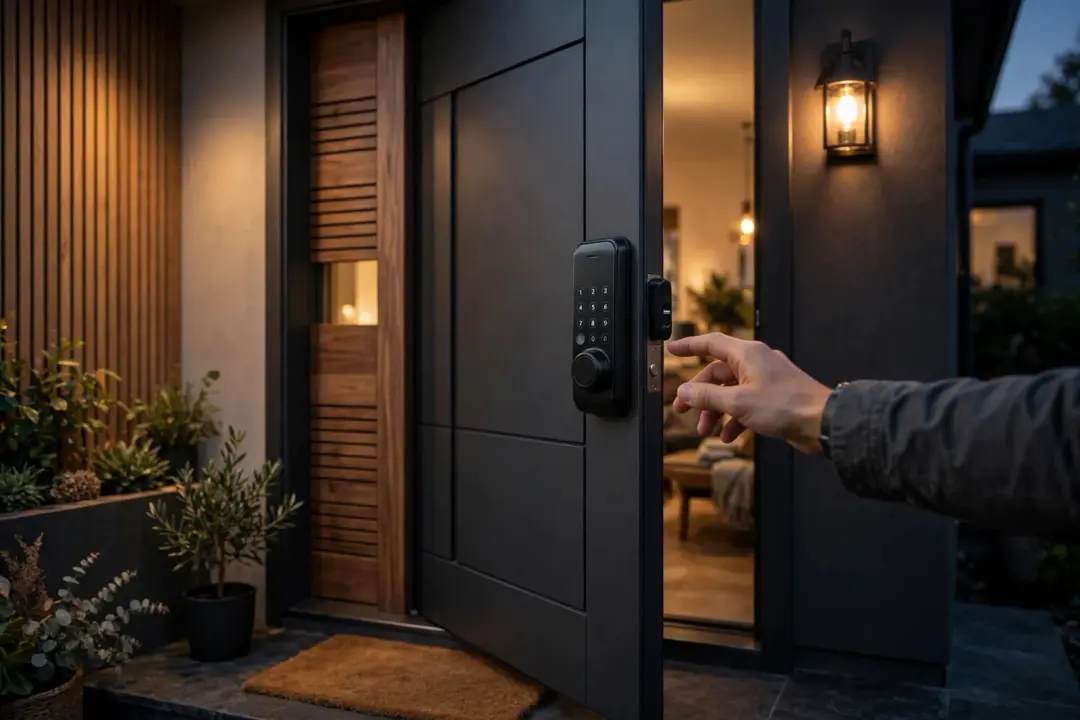
How do smart locks work? Underneath the technology, a smart lock is still a deadbolt — a small motor throws and retracts the bolt, and everything else is just a different way of telling that motor to move. Instead of a metal key, you unlock with a code, a fingerprint or your phone.
Smart locks have quietly gone mainstream — they now sit on the front doors of new homes, rental flats, offices and family houses. Here is what happens behind the keypad, whether they are actually safe, and what happens when the battery dies.
The motor inside: what a smart lock actually is
A traditional deadbolt works because a metal key turns a cylinder, which slides a thick bolt into the door frame. A smart lock replaces the key-turning part with electronics, but keeps the bolt. Inside there is a motor that drives the bolt, a controller — a small computer that checks your credential and tells the motor what to do — a credential reader (keypad, fingerprint sensor, or a radio that talks to your phone) and batteries, usually four AAs, so the lock works even when your home loses power.
Most smart locks still keep a physical key slot as a backup. The lock is only as strong as its hardware: security experts point to the bolt throw (how far the bolt extends — one inch is the residential standard) and the lock's ANSI/BHMA grade (Grade 1 is the highest residential rating) as the specs that matter most.
The ways in: how you unlock one
Most locks offer several ways in at once:
| Method | How it works | Best for |
|---|---|---|
| Code / PIN | A number entered on a keypad | Guests, cleaners, family — codes are easy to share and change |
| Fingerprint | A sensor reads your fingerprint | Everyday use — nothing to remember or carry |
| Smartphone app | The lock opens from an app, nearby or from anywhere | Remote unlocking and status checks |
| Phone or watch as a key | A digital key stored in Apple Wallet or Google Wallet | People who always have their phone on them |
| Face or palm recognition | A reader recognises you as you walk up | Hands-free entry |
| Key fob | A small tag you tap against the lock | Children, or anyone who would rather not use a phone |
| Auto-unlock | The lock senses your phone approaching and opens | Coming home with full hands |
The most useful feature is temporary codes: give the cleaner a code that only works on Tuesdays, give a guest one that expires on Sunday, and delete both without ever changing a physical lock.
How it connects: Bluetooth, Wi-Fi and Matter
A smart lock needs to talk to your phone and, for remote features, to the internet. It does that over one of several radios:
- Bluetooth connects the lock to your phone when you are nearby. It uses very little power, which is why most locks run for months on batteries.
- Wi-Fi lets you lock or unlock from anywhere and get alerts — but it drains batteries faster, so many locks use a separate hub or bridge for Wi-Fi.
- Z-Wave and Zigbee are low-power home-automation radios that connect the lock to a smart-home hub.
- Thread and Matter are the newest standard: Matter, running over Thread, finally lets locks from different brands work with Apple, Google and Amazon systems instead of being locked into one ecosystem.
See also how smart home devices talk to each other and how Bluetooth works.
Are smart locks safe?
The short answer is yes, for most homes, provided it is installed correctly and set up properly. A well-made smart lock adds security features a traditional lock does not have:
- Encrypted communication. Most reputable locks encrypt the signal between your phone and the lock with AES-128 encryption — the same standard used in banking and government systems.
- No key to copy or lose. A traditional key works for anyone holding it. A code or fingerprint can be changed or removed in seconds.
- Activity logs and alerts. The lock records every opening and can warn you about tampering or repeated wrong codes.
- Automatic relocking. The door locks itself behind you, so there is no "did I lock it?" worry.
But no lock is completely risk-free, and smart locks carry different risks from mechanical ones:
- Digital risks. Weak passwords, unpatched firmware or a compromised home Wi-Fi network can all be weak points. Keep the firmware updated and use a strong, unique password with two-factor authentication where available.
- Physical risks. A thief with a crowbar does not care about your encryption. The strength of the bolt, strike plate and door frame decides whether a lock survives a forced entry — a Grade 1 deadbolt on a reinforced frame will outlast a cheap lock with flawless software every time.
- Battery and connectivity risks. A dead battery or a Wi-Fi outage can cut off remote features — though Bluetooth and the backup key usually still work.
In short: a quality smart lock is at least as secure as a traditional deadbolt, and often more so — but its security depends heavily on setup and habits, not just on the technology.
What happens if the battery dies?
This is the question almost everyone asks first, and the answer is reassuring: smart locks are designed for it.
- Warnings come first. The lock warns you for weeks before the battery runs out.
- The backup key still works. Most models keep a physical key slot, so a dead battery never locks you out.
- Emergency power. Many keypad models have a micro-USB port or contact points on the outside: hold a power bank against them for a few seconds and the lock wakes up long enough to open.
- Bluetooth keeps working. Battery-powered Bluetooth access does not depend on your home Wi-Fi, so a router outage does not lock you out either. The practical habit is simple: change the batteries when the first low-battery warning appears, not when the lock goes silent.
How to choose one
If you are shopping for a smart lock, check five things before you buy: fit (measure your door and existing deadbolt — most smart locks replace a standard deadbolt, but not all doors are standard), grade (ANSI/BHMA Grade 1 or 2, with a one-inch bolt throw), access methods (keypad plus fingerprint covers most households), connectivity (Bluetooth-only is fine for one door; add Wi-Fi or a hub for remote access) and backup (a physical key slot or emergency power contacts — and keep the backup key somewhere sensible, not under the doormat).
Takeaway checklist
- How do smart locks work? A motor drives the deadbolt; a code, fingerprint or phone tells the motor to move.
- The ways in: PIN keypad, fingerprint, app, phone-as-key, face or palm, key fob and auto-unlock — most locks offer several at once.
- The connection: Bluetooth for nearby use, Wi-Fi or a hub for remote control, and the new Matter standard for cross-brand compatibility.
- Are smart locks safe? Generally yes — AES-128 encryption, activity logs and removable codes — but physical strength and good setup matter as much as the software.
- If the battery dies: Warnings come weeks ahead, the backup key still works, and many models accept emergency power from a power bank.
- Before you buy: Check the fit, the ANSI/BHMA grade, a one-inch bolt throw, and that there is a backup way in.